Open and orient.
Choose a file or folder with the native picker. See source information, field types and a bounded first page.
Open your first datasetYour files. Your machine. Your workflow.
A focused desktop workspace for the data that outgrows a spreadsheet. Inspect, query and work with your files — without uploading the dataset.
Free read-only Preview · Windows validated · no card required
| # | symbol | timestamp | close | volume |
|---|---|---|---|---|
| 1 | BTCUSDT | 09:30:00 | 67,420.50 | 12.83 |
| 2 | ETHUSDT | 09:30:00 | 2,645.12 | 184.60 |
| 3 | SOLUSDT | 09:30:00 | 154.82 | 2,180.40 |
| 4 | BTCUSDT | 09:31:00 | 67,438.20 | 10.52 |
| 5 | ETHUSDT | 09:31:00 | 2,646.08 | 162.84 |
| 6 | SOLUSDT | 09:31:00 | 154.94 | 1,925.72 |
Less setup. More understanding.
Bring the files you already have. RowCove detects the source and keeps the next useful step within reach.
Choose a file or folder with the native picker. See source information, field types and a bounded first page.
Open your first datasetProject the fields you need, narrow a symbol or time range, inspect records and check data quality.
Explore real workflowsFollow results back to source records. Stage reversible changes and export a separate copy where the reader supports it.
Work safely with editsThe actual desktop app
Data tools, source context and complete values in one place. This is the real Windows client with built-in generated sample data.
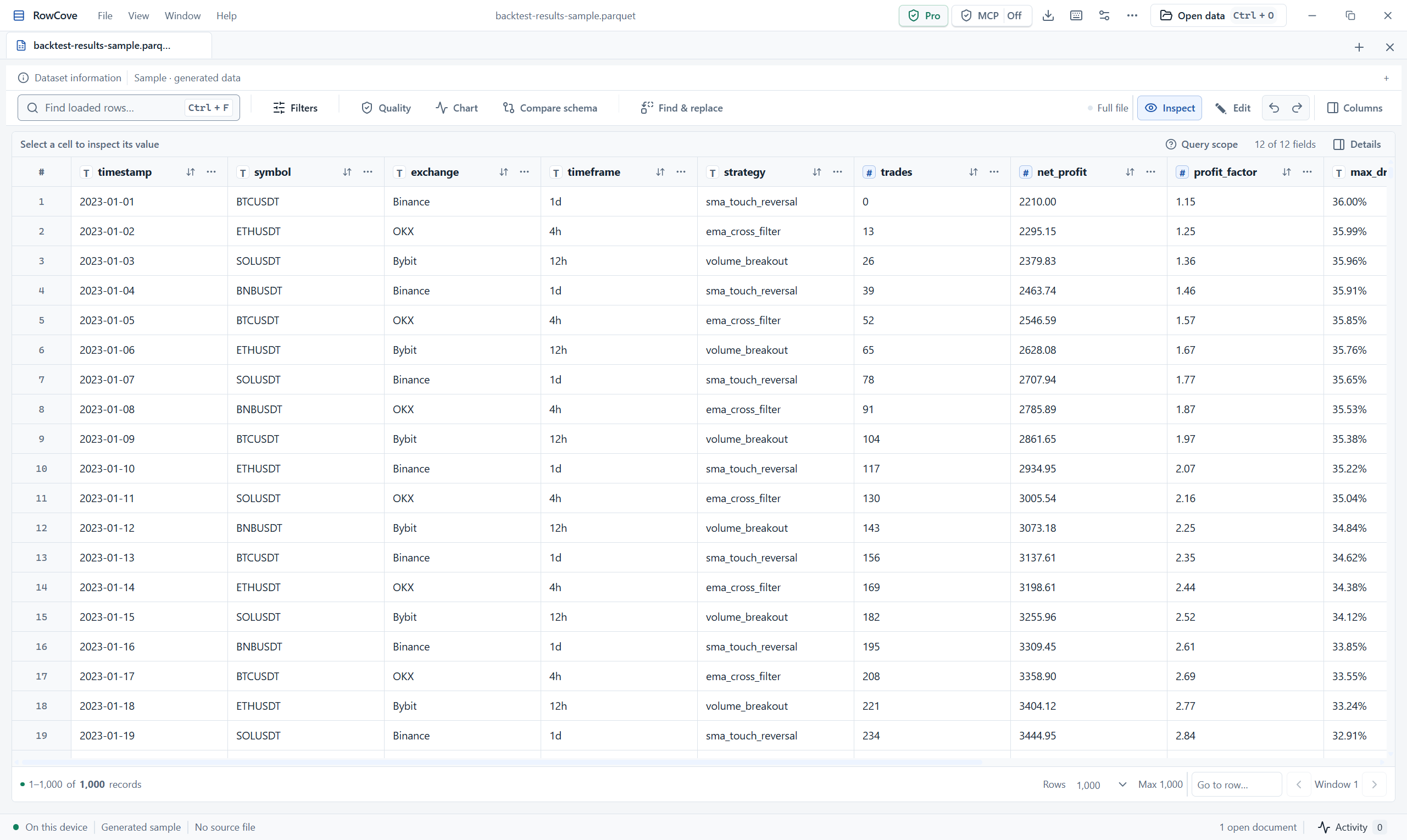
Designed for the large-file reality
Rust owns the heavy work. The interface receives bounded results, not an entire dataset. Column projection, partition pruning and disk-backed preparation reduce unnecessary work.
Inside the performance model1. Discover the source and schema
2. Request a bounded query
3. Inspect returned rows + provenance
4. Verify the finding in RowCoveA practical bridge to AI
Connect an MCP-compatible client to RowCove's authorized local server. Inspect tool schemas, test calls, and review wire logs and history before building a workflow.
Explore the MCP workflowStraightforward pricing
A local desktop product with a subscription for Pro capabilities. Sign in with your purchase email to activate and restore.
Preview
No account. No card. Start with your own file.
Check Preview availabilityPro
For everyday data workOr $150 / year — save $30 annually.
Renews automatically. Cancel renewal anytime. Billed upfront for the selected period. Final tax and total at checkout.
RowCove is a local data workspace for inspecting, querying and safely editing data files on your computer. The desktop app uses Tauri, React and a Rust data engine.
The desktop data engine processes files locally. Account services receive your email and purchase status, not your datasets. If you connect an AI client through MCP, the tool results you request are shared with that client and may reach its model provider.
Preview is free and does not need an account. Inspect supported file information, schema and up to 100 records in a read-only first page. Pro adds full-file workflows and MCP; available operations depend on the reader.
Pro costs US$15 per month or US$150 per year. The yearly plan is billed upfront and saves US$30 compared with twelve monthly payments. Applicable taxes and the final total are shown at checkout.
Yes. Open Account and choose Manage subscription. Cancel renewal in the Paddle portal. Access continues through your paid period; approved full refunds revoke the refunded purchase.
After activation, the app keeps a device-bound signed license. It refreshes online. Licenses last up to three days with up to one extra day of offline recovery, never beyond the paid subscription end. Reconnect periodically to keep Pro active.
Windows is the currently validated desktop platform. macOS support is planned in the Tauri implementation; Mac release acceptance is still pending. Check the release page for published builds.
No. Reader capabilities differ. CSV, JSONL, Parquet and Arrow have table workflows; database sources have explicit table selection. Some scientific and training formats currently expose metadata or archive members rather than decoded samples. See the format guide.
Your next dataset is already on disk
Start with Preview. Upgrade when your workflow needs more.
Windows testing builds. macOS release acceptance pending.